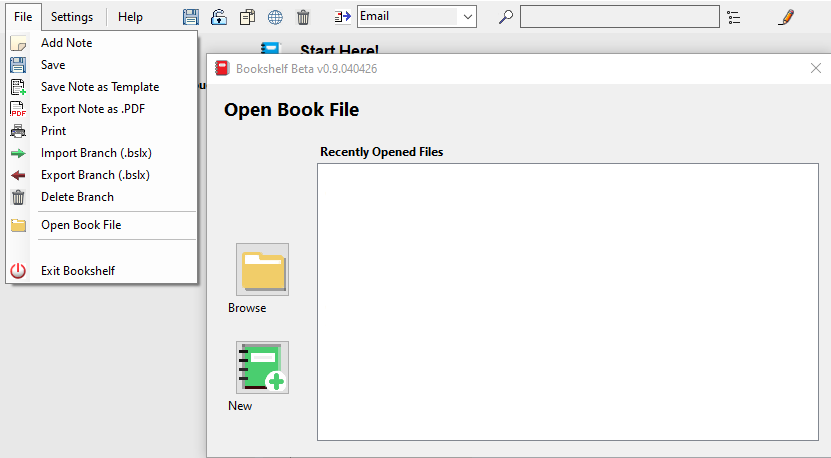
A Book File / Bookshelf Library File (.bslf file) is a separate container (or book) to hold your notes. For instance, you could create a separate book for different projects.
Creating a New Book File:
- Click on the “File” menu, Select “Open Book File“, click on “New”
- Choose a location and name for your file, then click “Save“
Opening a Book File:
- Click on the “File” menu, Select “Open Book File“, and either click on “Browse” or select a recently opened file from the list.
- Or just double click on a .bslf file to open.