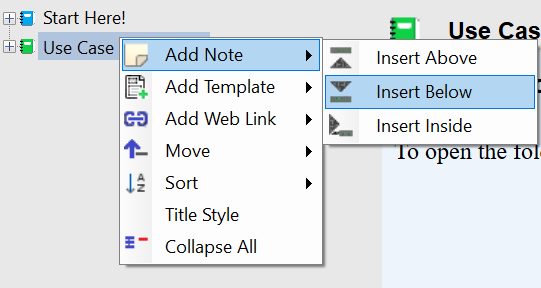
Notes are editable pages (stored as HTML behind the scenes). With Notes, the page is editable, however the HTML behind the note is not directly editable.
Templates allow you to open a new Note based on the Template you select. (see “Settings”, “Edit Templates” to create or edit templates)
Web Links display the webpage or local file for your link. With Web Links, the HTML, CSS, and JS code is directly editable. Click Switch View then paste in your link to open a web page in the page view.
To create a new Note, Web Link, or Use Template:
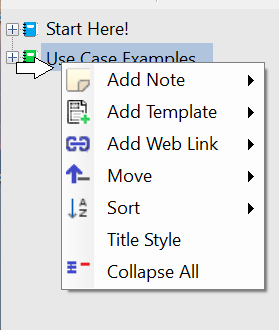
Right click on an existing note in the Tree View to open the context menu:
Click on “Add Note” (or “Add Web Link”, or “Add Template”) and select where you wish to create the new Note: