
When you select:

You will see the following:
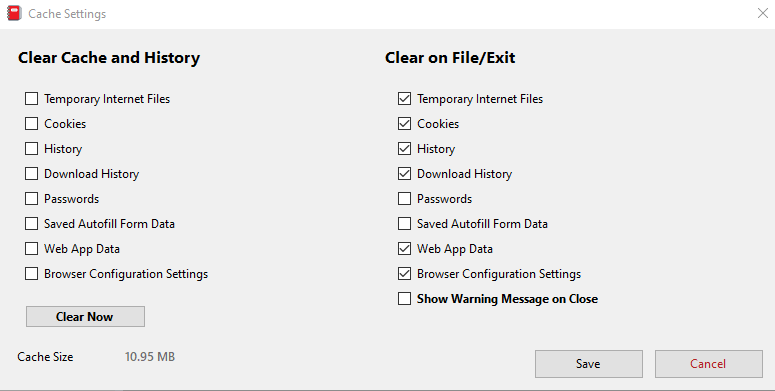
How it works:
To immediately delete temporary files, check the options under “Clear Cache and History” that you wish to delete. Click “Clear Now” to delete the temporary files.
To delete temporary files on application exit, check the options under “Clear on File/Exit” that you wish to delete. Click the “Save” button to save your selections. The temporary files will automatically delete when closing the application using the “File” menu and selecting “Exit Bookshelf“.
To show a warning message when deleting the files on exit, check the “Show Warning Message on Close” checkbox.