
Install Bookshelf Data Manager:
- Download Bookshelf_Installer.zip file from the Downloads page
- Inside the zip file, you will find “Bookshelf_Installer.msi” Double click on the .msi file to start installation.
- Follow the prompts. That’s it!
- Note: If you have an older version of Bookshelf currently installed, uninstall the older version before installing the latest version.
Hardware Requirements: 64bit processor
Software Requirements: Windows 10 (or higher)
NOTE: When installing Bookshelf, you may see the following “Window protected your PC” dialog box. If you see this, click “More Info”, then click “Install Anyway”.

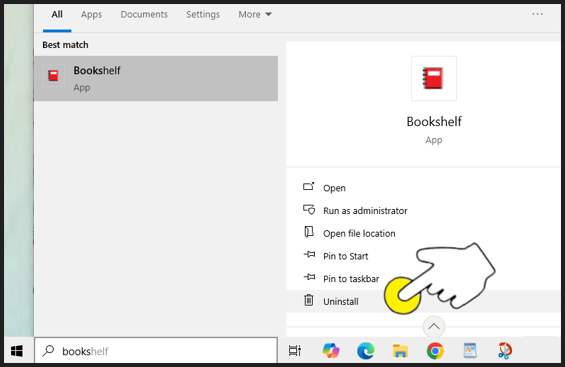
To Uninstall Bookshelf:
If you have an older version of Bookshelf currently installed, uninstall the older version before installing the latest version.